Instant notifications
Gmail pushes to Mercury over IMAP IDLE. A native macOS notification appears when the mail lands, with sender and subject if you want them.
Projects / MercuryMail
Because of disputes between Apple and Google over push notifications, Mail.app on MacOS takes forever to retrieve e-mails from Gmail. This is a simple solution for those who want to keep using Gmail in Mail.app while having instant notifications.
Free and open source. Requires macOS 13 or later.
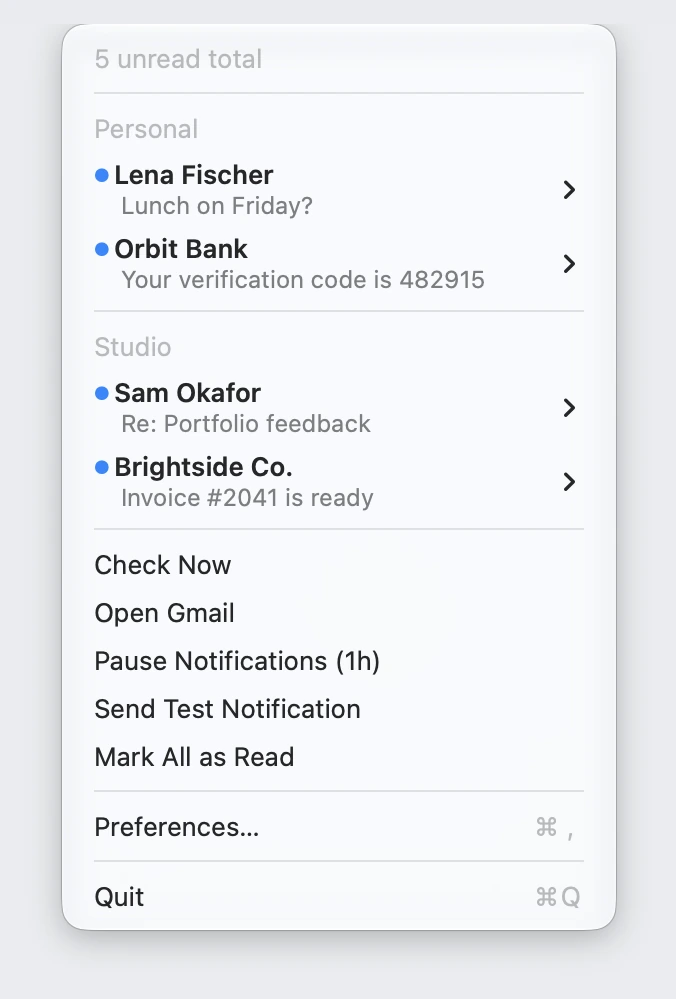
Gmail pushes to Mercury over IMAP IDLE. A native macOS notification appears when the mail lands, with sender and subject if you want them.
Unread counts sit next to the menu bar icon, one color per account. Each account can notify, or hide itself while it has nothing unread.
Flag a message, mark it read or unread, copy a verification code, or pick a link out of the email, without opening it.
An optional floating panel where you swipe messages with two fingers, like Mail.app, with a Liquid Glass look on macOS 26.
No Dock icon. A global shortcut opens the list and pressing it again closes it. Pause notifications for an hour, or launch at login.
Mercury talks only to imap.gmail.com, plus GitHub when it checks for updates. There is no server of mine in between, and your app password lives in the Keychain.
Mercury checks for new versions on its own and installs them with one click. Updates are signed and notarized, and you can turn the check off.
Hit Reply on any message and a Gmail compose window opens, already addressed to the sender with the subject filled in.
Pick the color of each unread count, hide an account while it has no unread mail, and set your own global shortcut.
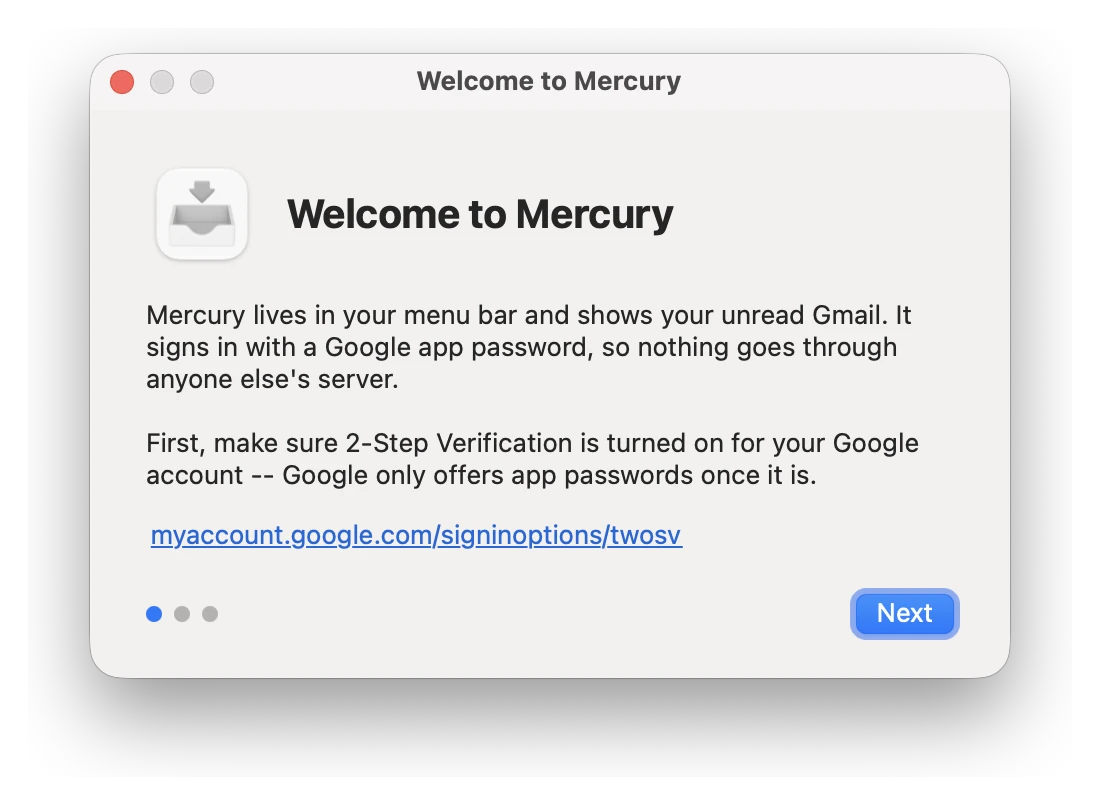
Turn on 2-Step Verification, create an app password, and enter it. Mercury tries a real Gmail login before it saves anything, so a typo can’t leave a broken account behind.
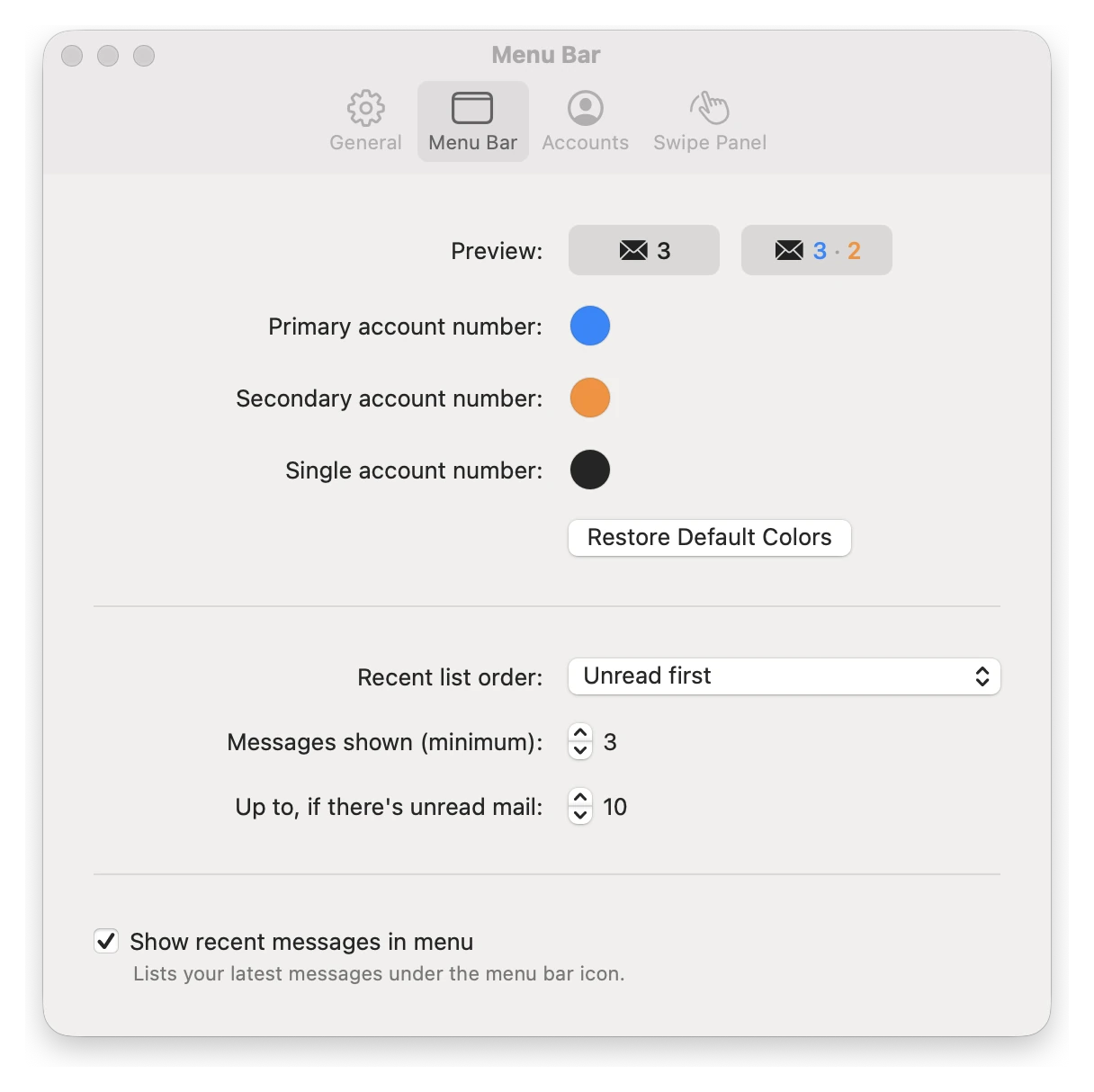
Unread numbers sit next to the menu bar icon. Pick a color for each account and see how the badge will look right in Preferences.
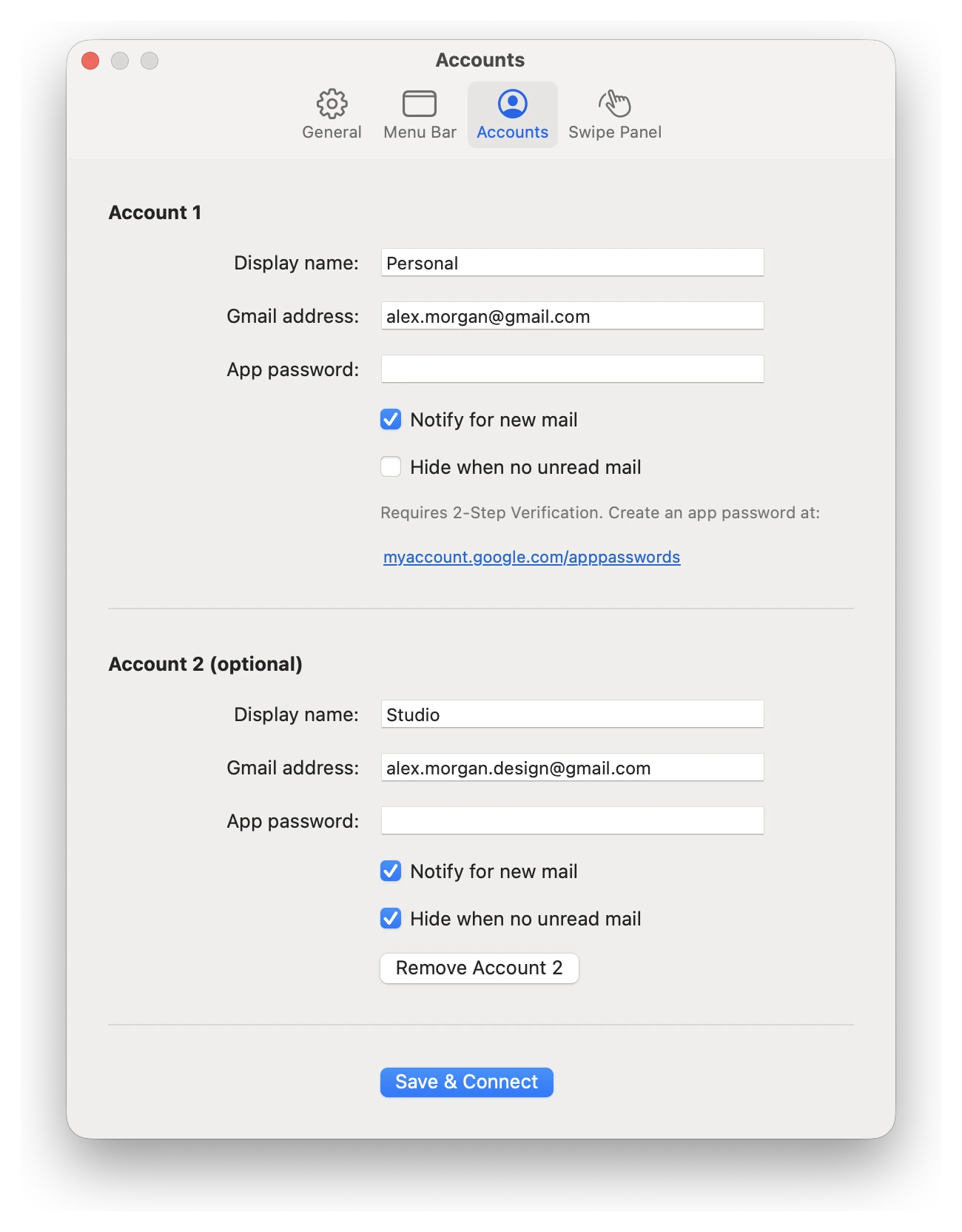
Name each account, choose whether it notifies you, and hide it from the list while it has no unread mail so the menu only shows what needs you.
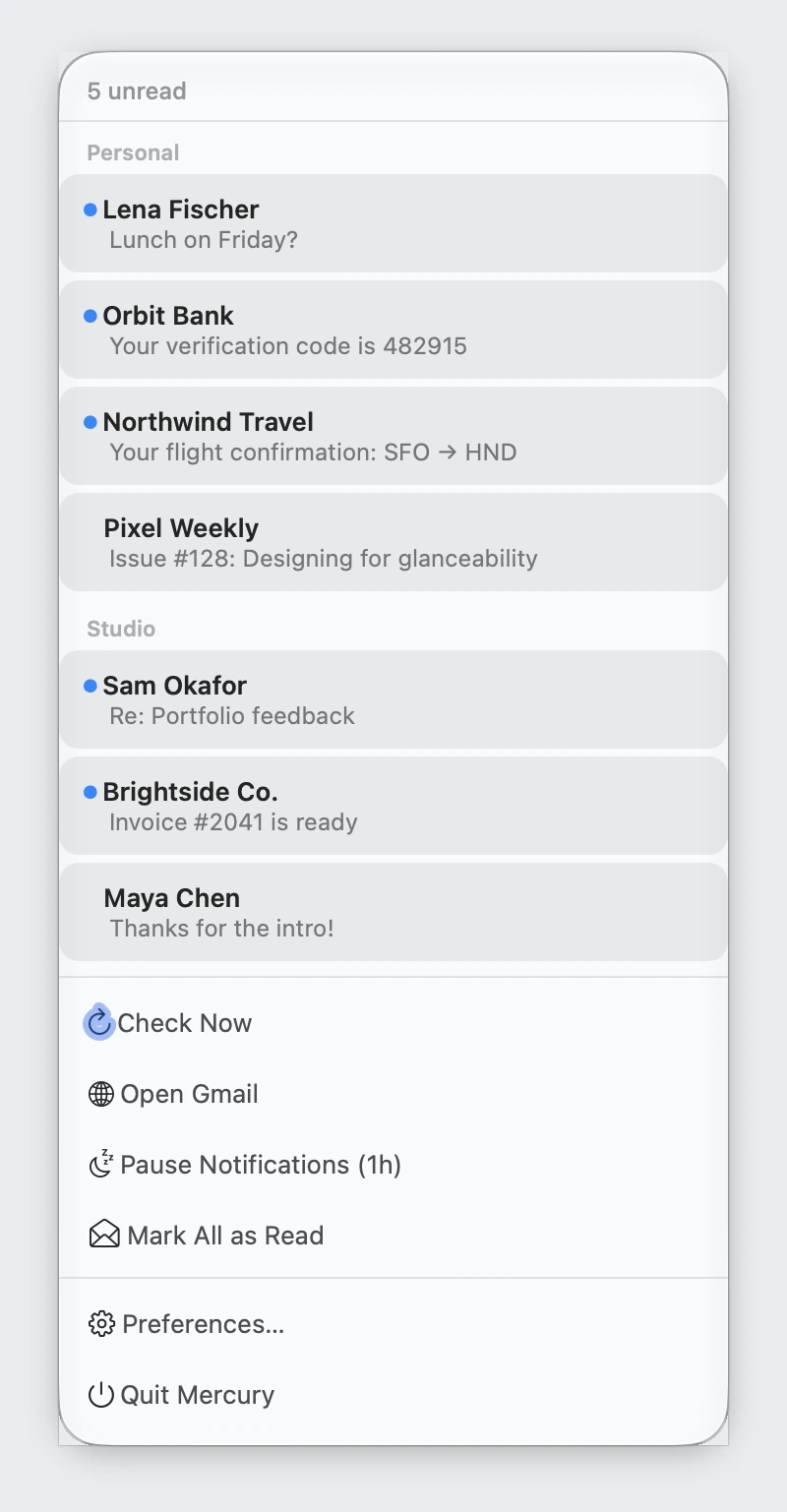
Unread first, grouped by account, with the actions you use most one click away. It’s a beta, off by default, and the classic dropdown is still there.
Mercury signs in with a Google app password rather than “Sign in with Google”. Google treats full mailbox access over IMAP as a restricted scope, and apps that use it have to pass a verification process and a paid security assessment. For a small free app that wasn’t worth it, and an app password keeps everything on your Mac.
The trade-off is a one-time setup step, which is what the first-run window is for. It needs 2-Step Verification on your Google account.